Guide · about 7 minutes
Good position, no clicks: find the SERP features eating your CTR
By the GSC PAP team · Updated
Search Console tells you your position and your CTR. It does not tell you what else was on the result page, which is the one thing that explains the gap between them. To see that you need the live SERP, and to see it for twenty queries at once you need it automated.
GSC PAP exposes three tools for this: `serp_features_audit` checks up to 25 queries at a time for click-eating features, `serp_top_results` returns the live top organic results and the features present for one query, and `serp_competitor_analysis` shows where your domain sits and who is around it. Combined with your own Search Console numbers, this turns a guess into a short list.
The point of the exercise is triage. Some underperforming queries are worth a title rewrite, some are worth restructuring the page to answer one question in one paragraph, and some are worth leaving alone because the click is never coming back. The audit tells you which pile a query belongs in.
Why is my CTR low even though I rank on page one?
Average position is measured against the other organic results, not against the page. Position 3 means two organic links are above you. It says nothing about the AI Overview, the featured snippet, the video carousel, the map pack, the shopping row or the four People Also Ask questions that may sit between the top of the screen and your link. On a crowded result page, position 3 can be most of a scroll away from the fold.
So a low CTR at a good position is rarely a title problem first. It is usually a geometry problem: your link is fine, it is just not where the eye lands. Rewriting the title of a query whose answer is already being given in an AI Overview wins very little. Knowing which of the two you have is the whole diagnosis, and Search Console cannot tell you, because it does not report what else was on the page.
- SponsoredTwo ads
- AI OverviewAnswers the question on the results page
- People also askQuestions that expand in place
- Bottom of the first phone screen
- Your pageThe first web result
- VideosA carousel of three
- ·An AI Overview can push the first organic result below the fold entirely.
- ·A featured snippet answers the question in place, so only people who want more click through.
- ·People Also Ask boxes expand in place and keep the visit on Google.
- ·A map pack takes the top of the page for anything with local intent.
- ·Sitelinks or a video carousel on a competitor's result enlarge their listing and shrink yours.
What CTR should I expect at each position?
There is no universal table, and anyone quoting one to two decimal places is selling something. What is reliable is the shape: clicks fall off steeply after the first two or three results, branded queries pull far higher rates than generic ones, and a result page carrying an AI Overview or a featured snippet produces fewer organic clicks at every position than a plain one.
The useful comparison is internal, not industry-wide. Take your own queries at a similar position on the same site, and look at which ones underperform the rest. That difference is almost always explained by what else is on the result page, which is the thing you can actually go and check.
Can I get my page into an AI Overview?
Not directly, and nobody can sell you a place in one. What AI Overviews and AI assistants consistently do is quote pages that answer a specific question plainly, near the top, in the question's own words, on a page that is reachable and fast. That is the same work as earning a featured snippet, and the two overlap heavily.
The practical move is to find which of your queries now carry an AI Overview, read what the Overview says, and check whether your page answers that exact question in a paragraph that could be lifted whole. If the answer on your page is buried under three sections of preamble, it will not be lifted.
Auditing the SERP features on your queries with Claude
The prompt works in any client connected to GSC PAP. Not set up in Claude yet? Connect GSC PAP to Claude
The scenario
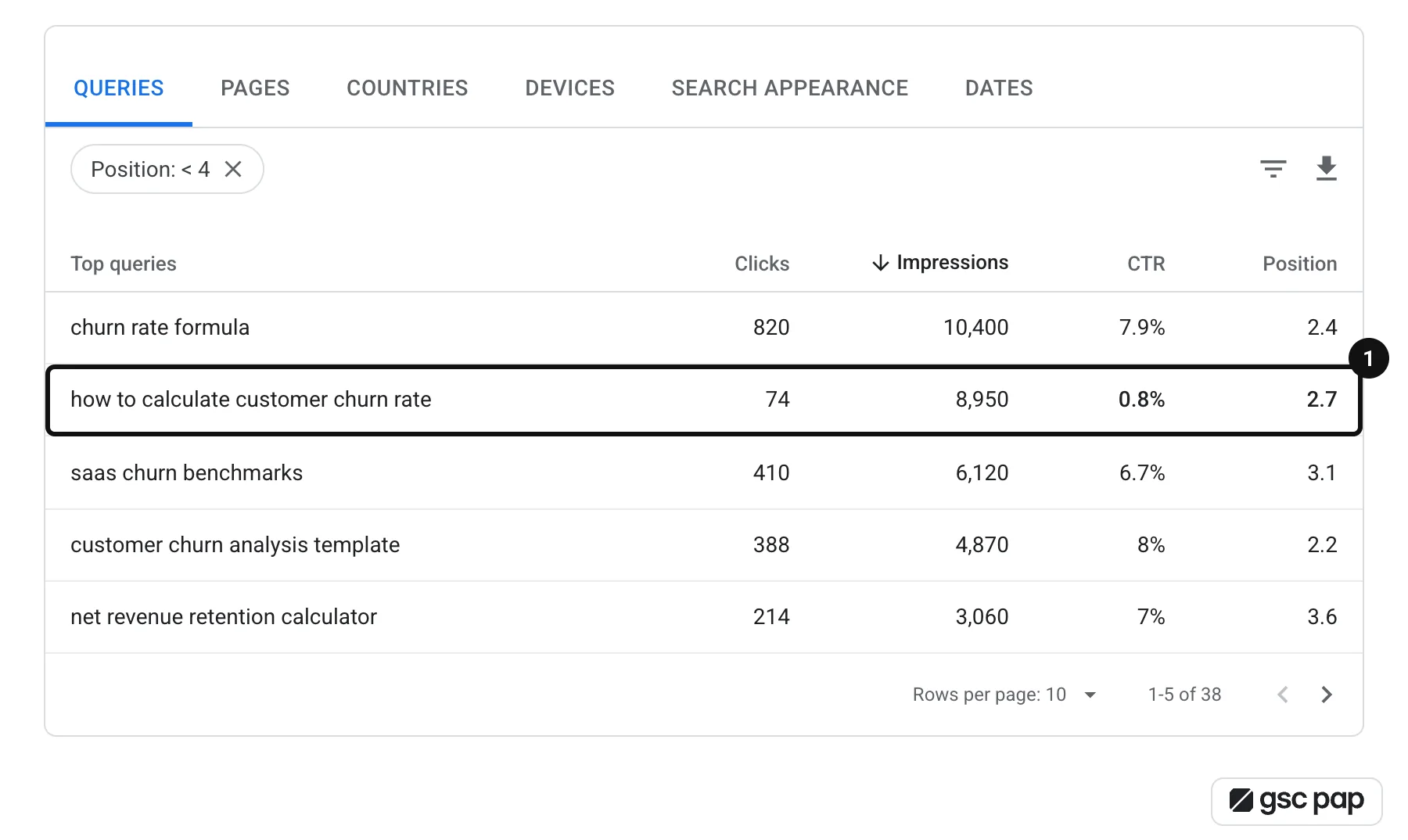
A page sits at position 4 for a query with 2,000 impressions a month and earns eleven clicks. You have rewritten the title twice. Nothing moved. You suspect something is above you, but checking by hand means searching each query in an incognito window, in the right country, and eyeballing the page.
The prompt
Use the gsc-pap MCP. For https://example.com, take my top 25 queries by impressions over the last 28 days where average position is between 1 and 10 but CTR is under 2%. Run serp_features_audit on those queries for country us. Give me a table of query, impressions, position, CTR and which SERP features are present. Then split the list into three groups: queries where an AI Overview or featured snippet is taking the answer, queries where the SERP is plain and the title is the likely problem, and queries with a map pack or shopping row where organic intent is weak. For the top three in the second group, suggest a new title and meta description.What happens
- 1
It pulls the underperforming queries first
`search_analytics_query` with the query dimension gives clicks, impressions, CTR and position. The filter that matters is the combination: a good position with a bad CTR. A bad position with a bad CTR is a ranking problem and belongs in a different session.
- 2
Then it checks what the result page actually looks like
`serp_features_audit` takes the list and reports, per query, which features are present. This is live Google, in the country you name, not a cached snapshot, so it reflects what a searcher sees today. Country matters more than people expect: the same query can carry an AI Overview in one market and not in another.
- 3
It groups the queries by what you would do about them
The grouping is the deliverable. An AI Overview on an informational query means the page should answer that question in a liftable paragraph. A plain SERP with a low CTR means the title and description are genuinely underselling you. A map pack means the query has local intent you probably cannot serve.
- 4
And it looks at who is above you where it matters
For the handful of queries worth fighting for, `serp_competitor_analysis` returns the full top ten around your position. Reading the three results above you is usually faster than any amount of guessing about what Google wants for that query.
Outcome
Instead of a list of twenty queries with disappointing CTR, you get three short lists with three different actions, and the confidence that the title rewrite you are about to do is aimed at a query where a title rewrite can still win the click.
Where to take it next
- ·Re-run the same audit in your second-biggest country; SERP features vary by market.
- ·Check the queries that already convert well in GA4 first, with `correlate_gsc_to_ga4`, so the effort goes where a click is worth the most.
- ·Save the prompt and re-run it monthly: AI Overviews appear and disappear on a query without warning.
- ·For queries where a featured snippet is held by a competitor, read their answer paragraph with `serp_top_results` and see whether yours is longer and less direct.
Frequently asked questions
Why is my CTR low when I rank in the top 3?
Usually because something above the organic results is answering the query: an AI Overview, a featured snippet, People Also Ask, a map pack or a shopping row. Position is measured against other organic links only, so a top-3 position on a crowded result page can still sit well below the fold. Check the live SERP for the query before you rewrite anything.
How do I check if a query has an AI Overview?
Search it yourself in the right country, or check it in bulk. With GSC PAP, `serp_features_audit` takes up to 25 queries at once and reports which SERP features are present on each, including AI Overviews, featured snippets, People Also Ask and map packs.
Does an AI Overview reduce organic clicks?
On queries where the Overview answers the question completely, yes, measurably. On queries where it summarises and the searcher still needs a tool, a price, a download or a specific page, the effect is much smaller. Which of those you have is a property of the query, which is why checking query by query beats reading a study about averages.
Should I rewrite titles for queries with low CTR?
Only for queries where the result page is plain. A better title on a query whose answer is already being given above the fold moves very little. Spend the title work on the queries where the click is genuinely still available.
Other guides
All guidesAI queries in Google Search Console: how to tell people, AI Mode and agents apart
Search Console mixes AI Mode follow-ups, AI agent searches and scripts into your query report. How to spot each one, with regex filters and real data.
Find the pages quietly losing organic traffic, before the rankings go
Content decay is slow enough to miss on a dashboard. How to find the pages whose clicks keep sliding, tell decay from seasonality, and decide what to refresh.
Traffic changed: how to compare two Search Console periods and find out why
Clicks are down 18% and nobody knows why. How to compare two periods properly, avoid the three traps that fake a drop, and find the queries and pages behind it.
Google Search Console anonymized queries: measure the traffic you can't see
Search Console hides anonymized queries from query rows but counts them in totals. Learn what they are, why no tool reveals them, and how to measure them.
GSC clicks vs GA4 sessions: why they differ and how to tie clicks to conversions
A Search Console click and a GA4 session measure different things. Why the numbers never match, what gap is normal, and how to compare and combine them page by page.
Audit Core Web Vitals across your site with AI
Audit Core Web Vitals with Claude through a hosted PageSpeed Insights MCP server: Lighthouse lab data and real-user CrUX field data for your top pages.
Google Search Console historical data: how to keep it past 16 months
Google Search Console keeps 16 months of historical data, then deletes it. Here is what it includes and how to keep it longer, from BigQuery to an archive.
Build a weekly SEO health report with Claude
Automate a weekly SEO report with Claude: one saved prompt pulls Search Console changes, quick wins, decaying pages, GA4 conversions and Core Web Vitals.
Bulk URL inspection in Google Search Console: diagnose indexing issues at scale
Search Console inspects one URL at a time. The URL Inspection API allows 2,000 checks a day per property. How to inspect in bulk and find indexing issues.
Track keyword rankings in Google Search Console, past the 16-month limit
See a keyword's position history in Google Search Console, what that average really measures, and how to keep ranking history past the 16-month limit.
How to find striking distance keywords in Google Search Console
Striking distance keywords rank just off page one of Google. Find them in Search Console, pick the ones worth fixing, and learn what to change on the page.
How to find keyword cannibalization in Google Search Console
Check for keyword cannibalization in Google Search Console: find queries where your pages compete, judge whether it hurts, and fix the cases that do.